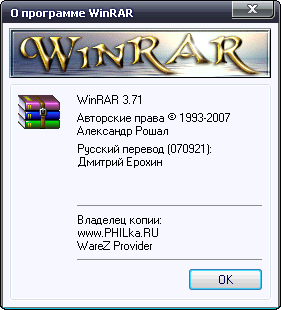
WinRAR - один из самых
известных архиваторов. То, что он поддерживает архивацию в формате RAR,
объяснять не надо. Кроме того, программа умеет работать с архивами ZIP,
CAB, ARJ, LZH, TAR, GZ, ACE 2.0, BZIP, JAR, UUE, GZIP, BZIP2 и 7-Zip,
при этом она обладает многочисленными очень полезными возможностями -
шифрование, поддержка непрерывных (solid) архивов, в которых степень
сжатия может быть на 10 – 50% больше, чем при обычных методах сжатия,
специальный алгоритм для сжатия мультимедийных файлов, поддержка
многотомных архивов и многим другим.
WinRAR обеспечивает полное управление файлами в архивах,
восстановление повреждённых архивов, шифрование, создание
самораспаковывающихся и многотомных архивов, интегрируется в
контекстное меню предоставляя пользователю достаточное удобство для
использования в работе с ним и многое другое. Очень прост в освоении и
имеет удобный интерфейс.
Features of WinRAR:
- Using WinRAR puts you ahead of the crowd when it comes to compression
by consistently making smaller archives than the competition, saving
disk space and transmission costs.
- WinRAR provides complete support for RAR and ZIP archives and is able
to unpack CAB, ARJ, LZH, TAR, GZ, ACE, UUE, BZ2, JAR, ISO, 7Z, Z
archives.
- WinRAR offers a graphic interactive interface utilizing mouse and menus as well as the command line interface.
- WinRAR is easier to use than many other archivers with the inclusion
of a special "Wizard" mode which allows instant access to the basic
archiving functions through a simple question and answer procedure.
This avoids confusion in the early stages of use.
- WinRAR offers you the benefit of industry strength archive encryption
using AES (Advanced Encryption Standard) with a key of 128 bits.
- WinRAR supports files and archives up to 8,589 billion gigabytes in
size. The number of archived files is, for all practical purposes,
unlimited.
- WinRAR offers the ability to create selfextracting and multivolume archives.
Recovery record and recovery volumes allow to reconstruct even physically damaged archives.
- WinRAR features are constantly being developed to keep WinRAR ahead of the pack.
Version 3.90 beta 1
1. WinRAR version for Windows x64 is available. If you use Windows
x64, it is strongly recommended to install 64 bit WinRAR version. It
provides a higher performance and better
shell integration than 32 bit version.
2. RAR compression speed is improved for multi-core and multi-CPU
systems. This improvement is most noticeable in Windows Vista and
Windows 7 operating systems.
3. "Remove duplicate folders from extraction path" option in
"Settings/Compression" dialog is replaced by more universal "Remove
redundant folders from extraction path" option.
This option will
eliminate redundant archive name based folders from extraction path if
you unpack an archive with "Extract to DestName\" context menu command
and if archive root folder contains only one folder and no files.
4. Changes in "Extraction path and options" dialog:
a) "New folder" button creates a new subfolder in currently selected folder;
b) F2 key renames a selected folder in the folders tree;
c) F5 key updated the tree pane contents;
d) Del key removes a selected folder in the folders tree.
5. You can enable "Show seconds" option in "Settings/File list"
dialog if you wish to see seconds in file dates in file list in WinRAR
shell.
6. "Where to check for SFX archives" options group in
"Settings/Integration/Context menus items" dialog lets you to control
processing of SFX archives in context menus. For example, if you
frequently right click ".exe" files on slow network disks, you can turn
off "Network disks" options to minimize the delay before displaying the
context menu.
7. If you sort files by name in the file list in WinRAR shell,
WinRAR will use the new logical file name sorting, same as in Windows
Explorer, considering digits in file names by their numerical value. So
files will be sorted as 1.txt, 2.txt, 10.txt instead of previous 1.txt,
10.txt, 2.txt. This new sort behavior is available in Windows XP
Service Pack 2 and newer.
8. Ctrl+W key combination can be used to close the main WinRAR
window also as WinRAR viewer windows. "View as Windows text" shortcut
in WinRAR viewer changed from Ctrl+W to Ctrl+I.
9. New command line switch -r- disables recursion completely. So
'rar a -r- arc dirname' command will add only the empty dirname folder
and ignore its contents. By default, if dirname does not include
wildcards, RAR adds its contents even if -r switch is not specified.
10. If used when extracting, the new command line switch -ai forces
RAR to ignore file attributes. When using this switch, extracted files
will always have attributes assigned by operating system to a newly
created file by default.
11. If output file name is not specified in "cw" command, console RAR will send comment data to stdout.
12. When compressing stdin data with -si[name] switch, RAR sets
modification time of archived entry to current system time. Previous
RAR versions did not fill this field, resulting in meaningless
modification time for stdin.
13. Message displayed when you place the mouse cursor on WinRAR
tray icon includes the archive name now. Previously only time left and
total percent were displayed for rchiving operations.
14. Bugs fixed:
a) WinRAR could fail to open tar or tar.gz archive if such archive contained a file larger than 8 GB;
b) WinRAR context menu did not work properly in Windows 7 beta if
icons in context menus were enabled and user clicked a file inside of
Windows 7 Library folder;
c) previous WinRAR versions failed to rename files having 5 or more
continuous spaces in the name. WinRAR shell does not display such
spaces for safety reasons, because they can hide an actual file
extension. But this security measure prevented the rename command to
work properly.
Скачать WinRAR 3.90 Beta 1 Rus (1,65 МБ):
RapidShare | LetitBit | DepositFiles | UploadBox | sms4file
|